
For whatever reason, Facebook has decided to hide the unpublish and delete feature on all business pages. This is utterly ridiculous and it even took us a while yesterday to re-find it. Most of the directions online are now outdated. Here is the step by step guide with pictures in 6 easy steps.
STEP 1.
Log in and go to your page profile so you are working as that page not your normal personal profile. Even if you are an admin it will no longer work as you. Click on Meta Business Suite.
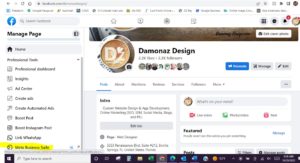
STEP 2. Click on ALL TOOLS
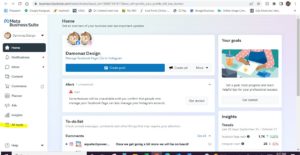
STEP 3. Click on PAGE SETTINGS
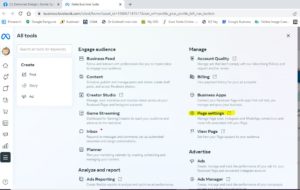
STEP 4. Click on PRIVACY
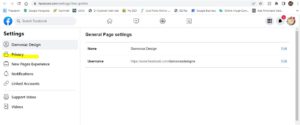
STEP 5. Click on FACEBOOK PAGE INFORMATION
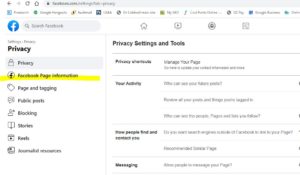
STEP 6. Click on DEACTIVATION AND DELETION
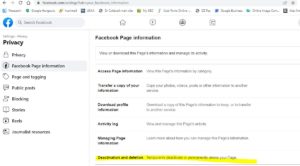
Step 7. Choose Permanent or Temporary Deletion to Unpublish Your Business Page
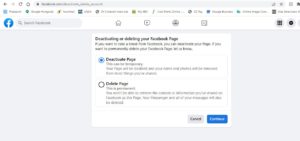
TA-DA! All Set. Your page should now disappear completely if you choose permanent. If you chose temporary you have 30 days to change your mind.
Need social media management, page creation, content creation, or other marketing or advertising help?
We are here for you! www.damonazdesign.com
